
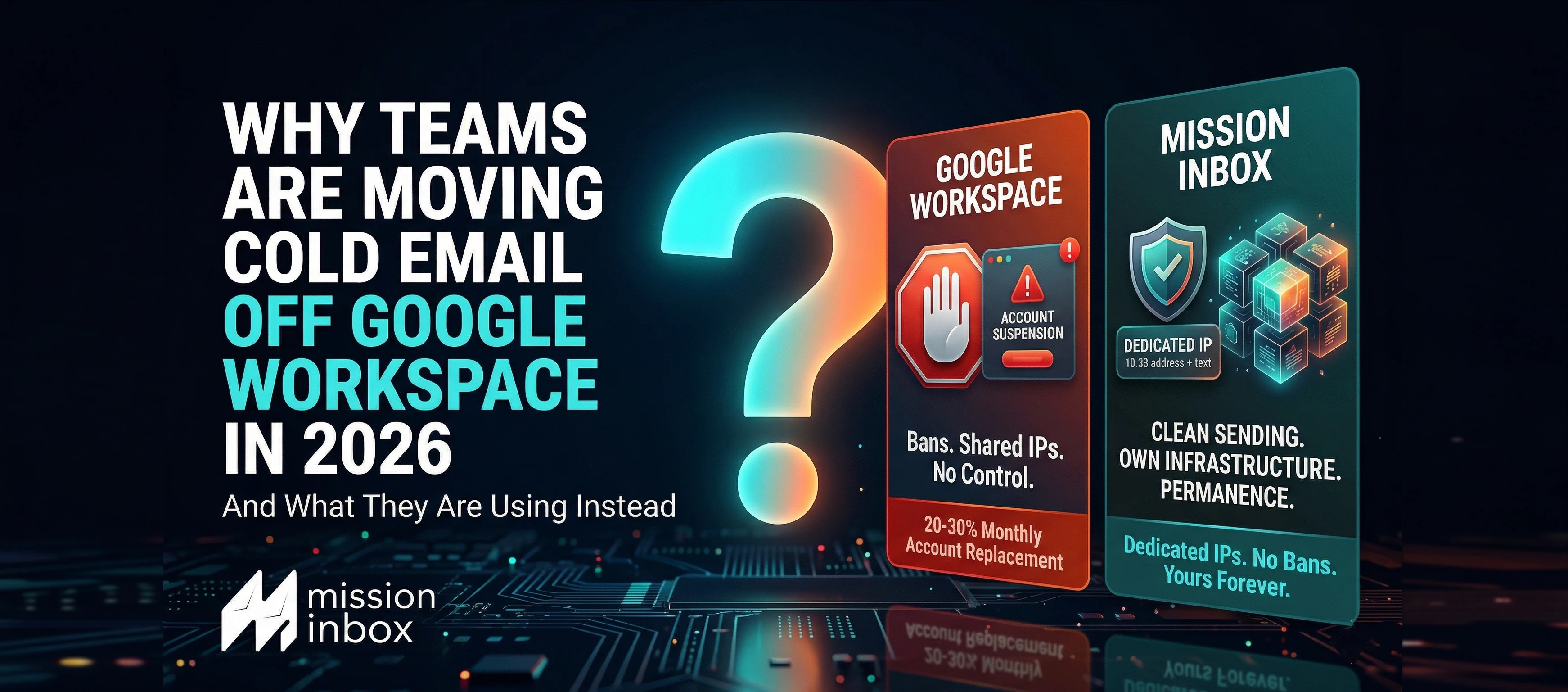

Why Teams Are Moving Cold Email Off Google Workspace in 2026 (And What They Are Using Instead)
Google Does Not Want You Sending Cold Email. They Have Made That Clear.
Every cold email team starts on Google Workspace. It makes sense. Gmail has excellent deliverability. The setup is familiar. The cost is $6 per account per month. For your first few hundred emails, it works perfectly.
Then you scale. And Google starts fighting you.
Accounts get suspended. No warning. No explanation. One day the account works. The next day it is gone. Your campaign stops mid-sequence. Warm leads go cold. Weeks of domain warm-up evaporate.
This is not a glitch. It is policy. Google Workspace was built for business communication. It was not built for cold outreach. When sending patterns exceed what Google considers normal business email, their automated systems flag and restrict accounts. There is no appeals process that works at scale.
For teams sending 50 cold emails per day from a single account, Google Workspace is fine. For teams sending 1,000+ per day across dozens of accounts, Google Workspace becomes the biggest bottleneck in the operation.
The cycle looks like this:
- Buy 50 Google Workspace accounts
- Spend 2-4 weeks warming them up
- Launch campaigns
- Google bans 10-15 accounts within weeks
- Replace them
- Warm up the replacements
- Repeat
Some agencies report replacing 20-30% of their Google Workspace accounts every month. That is not an infrastructure strategy. That is an infrastructure treadmill.
There is a fundamentally different approach. Own your infrastructure. Send from dedicated IPs on isolated servers where Google cannot ban you because Google is not involved. Where your reputation belongs to you alone and no third party can shut it down.
At a Glance: Google Workspace vs. Mission Inbox for Cold Email
→ Start Sending with Mission Inbox | Book a 45-Min Walkthrough
The Four Problems That Make Google Workspace Unsustainable at Scale
Problem 1: Google Bans Cold Email Accounts
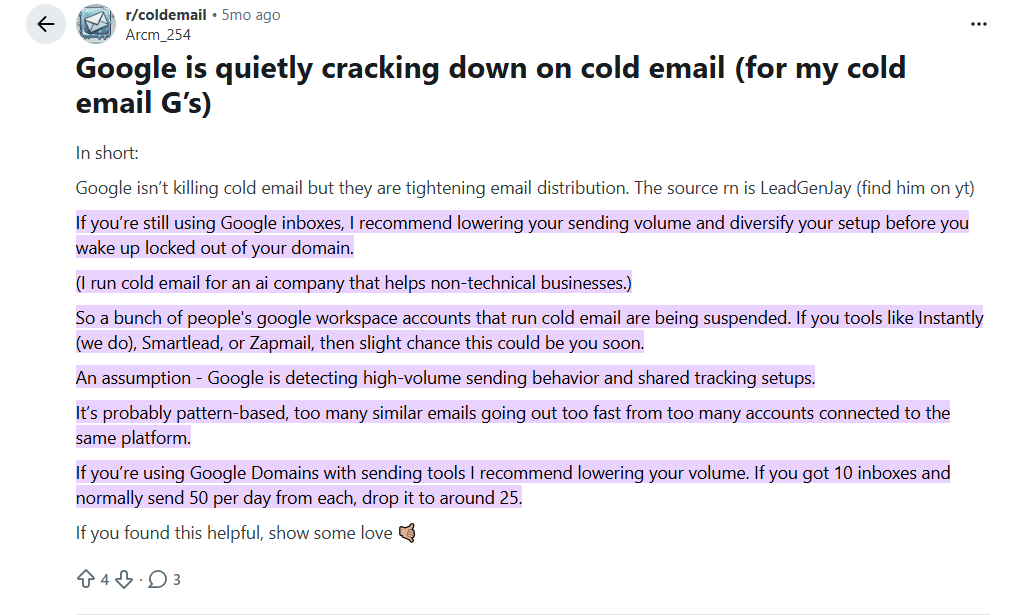
This is the most documented problem in the cold email community. Google's automated systems detect outreach patterns and restrict accounts. The ban comes without warning, without explanation, and without a meaningful appeals process.
For solo founders sending 20-30 emails per day, the risk is manageable. For agencies running campaigns across 50+ accounts, it is a constant operational drain. Every banned account means lost warm-up time (2-4 weeks per account), reconfigured DNS, and disrupted client campaigns.
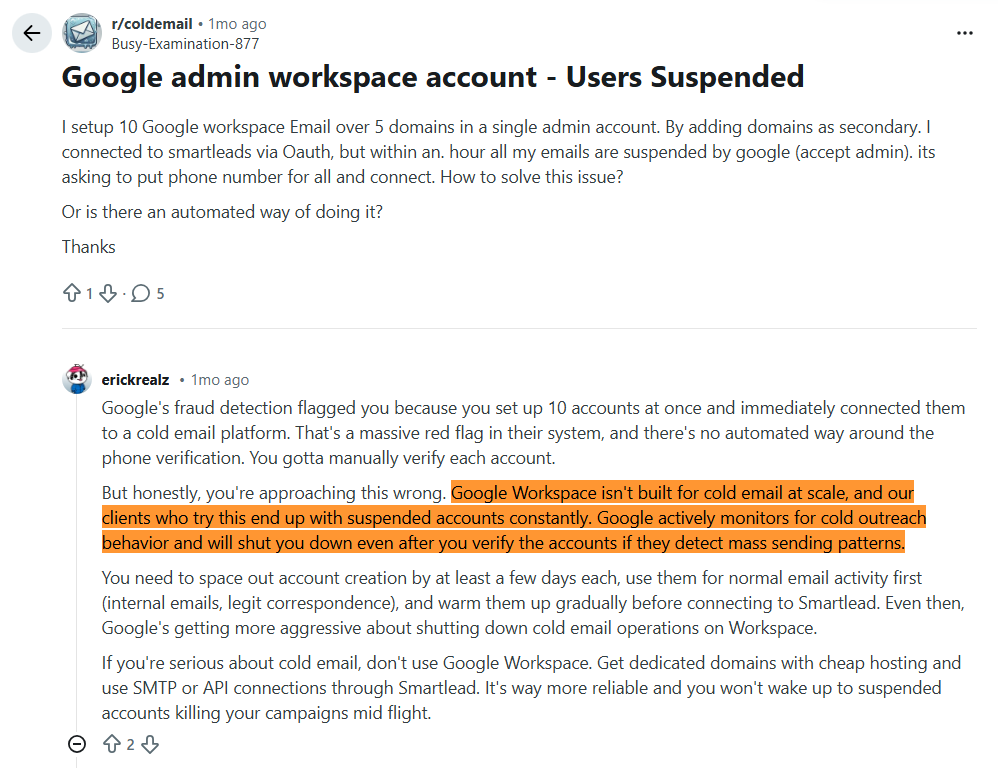
Account suspended. No warning. No explanation. The campaign stops."
Problem 2: Shared IPs You Cannot See or Control
Every Google Workspace account sends from shared IPs managed by Google. You have no visibility into which IPs your emails use, whether those IPs are flagged, or who else shares them.
When another Google Workspace user on the same IP pool triggers a blacklist or complaint spike, your deliverability drops. You cannot diagnose it because Google does not expose IP-level data to individual users. You cannot fix it because you do not control the IPs.
Problem 3: Volume Limits Cap Your Growth
Google Workspace allows roughly 2,000 emails per day per account. For cold outreach, best practices recommend 30-50 per account to maintain reputation. Simple math: 5,000 emails per day requires 100-150 separate accounts.
That is 100-150 accounts to purchase, set up, warm up, monitor, and replace when banned. The cost in time alone makes it unsustainable for growing teams.
Problem 4: No Protection Layer
Google Workspace has no pre-send content scanning. No AI firewall. No blacklist monitoring you can access. When one team member sends content that triggers filters, the domain reputation drops across every account on that domain. You find out days later when metrics decline.
How Mission Inbox Replaces Google Workspace for Cold Email
You Own the Infrastructure. Nobody Can Ban You.
When you send through Mission Inbox, your emails go from servers and IPs that belong to you. There is no third party that can restrict your account for sending cold email. Mission Inbox was built for outreach. It is the core use case, not a gray area.
Dedicated IPs From Day One
Every plan includes dedicated IPs. Your sending reputation is exclusively yours. No sharing with other senders. No invisible pool affecting your deliverability. No mystery about why emails stopped landing.
Isolated Cubes for Every Workload
Your sales outreach runs on completely separate infrastructure from marketing, transactional, and financial email. If one workload has a bad day, the others never feel it. For agencies, each client gets their own Cube.
Subdomain Isolation: Protect Your Root Domain
Send from subdomains that leverage your root domain's reputation while keeping risk completely contained. One financial services client sends 120,000 emails per day from subdomains with zero root domain damage. No other provider offers this.
MI Shield: The Protection Google Does Not Provide
MI Shield scans every outbound email before it sends. Content structure, link safety, wording patterns, DNS configuration. If anything could trigger filters, the email is blocked. One SDR cannot damage the domain for the entire team.
On Google Workspace, there is no protection layer. Bad content goes out unchecked.
Blacklist Monitoring Every 7 Minutes
Automatic checks across 90+ sources. If an IP gets flagged, it is removed instantly. Other IPs keep sending. Zero downtime.
On Google Workspace, you have no visibility into blacklist status and no control if a shared IP gets flagged.
Superior Microsoft/Outlook Delivery
Dedicated IPs with established reputation deliver consistently to Outlook, Hotmail, and Live.com. Enterprise environments behind Proofpoint and Barracuda let Mission Inbox through where Google Workspace shared IPs often get blocked.
Automated Domain Management at Scale
No more manual DNS configuration for every new domain. Mission Inbox's API integrates with Cloudflare, GoDaddy, and Spaceship. Create and configure domains programmatically. One team manages 3,000 domains from a single script.
→ Start Sending with Mission Inbox | Book a 45-Min Walkthrough
Who Should Stay with Google Workspace
Google Workspace is still the right choice if:
- You send under 100 cold emails per day from 2-3 accounts
- You are a solo founder testing cold outreach before committing to infrastructure
- You do not manage multiple clients or workloads
- You are comfortable replacing banned accounts as part of your workflow
- You do not send significant volume to Microsoft/Outlook enterprise addresses
Who Should Switch to Mission Inbox
Mission Inbox is built for teams that have outgrown Google Workspace:
- Agencies tired of the ban/replace cycle who need client-level isolation
- Sales teams sending 1,000+ emails per day who need dedicated infrastructure
- Financial services companies where compliance emails cannot share Google's shared IPs
- Any team spending 5+ hours per week managing, warming, and replacing Google accounts
- B2B teams targeting Outlook/Microsoft enterprise prospects at volume
- SaaS platforms that need email infrastructure via API (OBM Engine, white-label ready)
- Teams using Instantly or Smartlead who want to stop connecting Google accounts and start connecting dedicated infrastructure
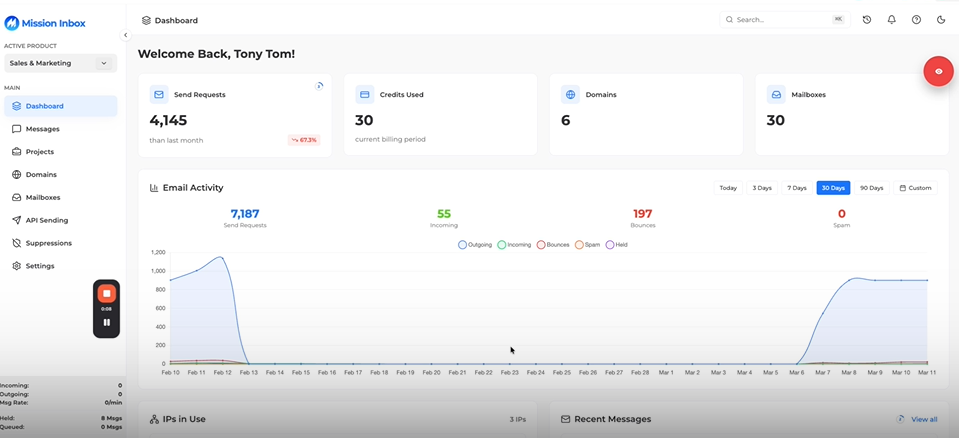
See Mission Inbox in Action
Watch a complete platform walkthrough. Isolated Cubes, MI Shield, dedicated IPs, domain management, and how it integrates with your existing sequencer.
Frequently Asked Questions
Can I use Google Workspace for cold email?
Technically yes, but Google's Terms of Service restrict bulk unsolicited email. Accounts used for cold outreach at scale are routinely suspended. For teams sending under 100 emails per day from a few accounts, Google Workspace works. For teams scaling beyond that, dedicated infrastructure built for outreach is more reliable and cost-effective.
Why do Google Workspace accounts get banned for cold email?
Google Workspace was built for business communication, not outreach. When sending patterns exceed what Google considers normal (high volume, low engagement, outreach to unknown recipients), automated systems flag and restrict accounts. There is no effective appeals process at scale.
How much does Google Workspace cost compared to Mission Inbox for cold email?
For a team sending 5,000 emails per day, Google Workspace requires approximately 125 accounts at $750+/month, plus replacement costs of $200+/month and significant operational time. Mission Inbox costs approximately $399/month with dedicated IPs, MI Shield, and zero ban risk.
Does Mission Inbox work with Instantly and Smartlead?
Yes. Mission Inbox provides the SMTP infrastructure underneath your sequencer. You keep Instantly, Smartlead, or any sequencer you use. Mission Inbox handles the delivery through isolated servers with dedicated IPs. Built-in export functions generate CSVs formatted for Instantly, Smartlead, Woodpecker, Emailbison, and Reply.
What is the daily sending limit on Mission Inbox?
Mission Inbox does not impose per-account sending caps like Google Workspace's 2,000/day limit. Your sending capacity scales with your infrastructure. The platform supports operations from 10,000 to 30 million emails per month.
What is MI Shield?
MI Shield scans every outbound email before it sends. If content could trigger filters or damage reputation, the send is blocked. Google Workspace has no equivalent. Emails go out unchecked, and deliverability problems surface after the damage is done.
Is Mission Inbox better for Outlook delivery than Google Workspace?
Yes. Mission Inbox's dedicated IPs deliver consistently to Outlook, Hotmail, and Live.com, including enterprise environments behind Proofpoint and Barracuda. Google Workspace sends from shared infrastructure that is vulnerable to Microsoft's aggressive filtering.
Do I still need to warm up domains on Mission Inbox?
Yes. Domain warm-up is still necessary (this is true on any platform). However, Mission Inbox's IPs come with established reputation, which gives new domains a head start compared to starting from zero on Google Workspace.
Can agencies isolate client campaigns on Mission Inbox?
Yes. Isolated Cubes give each client their own server environment with their own dedicated IPs. One client's campaign cannot affect another's deliverability. This level of isolation is not possible on Google Workspace regardless of how many accounts you create.
How long does it take to switch from Google Workspace to Mission Inbox?
Setup takes under 5 minutes. DNS configures automatically. You can be sending through isolated infrastructure on the same day. The time you save not managing, warming, and replacing Google accounts is significant from week one.
Ready to Get Off the Google Workspace Treadmill?
Stop buying accounts that get banned. Stop spending hours replacing them. Stop sharing IPs with millions of users you cannot control.