


The Infrastructure Layer Your Instantly Campaigns Are Missing (And Why Your Deliverability Keeps Dropping)
Your Copy Is Fine. Your Sequences Are Fine. The Problem Is Underneath.
We hear the same story every week.
A team runs Instantly. Their sequences are tight. Personalization is sharp. Follow-up timing is dialed. They have studied every deliverability guide, implemented spintax, kept emails under 100 words, removed links and images, sent plain text.
And their reply rates are still dropping.
They rewrite the copy. They tweak subject lines. They adjust send times. Nothing changes.
Then they look underneath. At the infrastructure. The IPs. The reputation layer. The part Instantly does not control.
And they find the problem.
Instantly is a sequencer. It handles the writing, scheduling, sending logic, A/B testing, and campaign management brilliantly. That is what it was built for.
But the emails that Instantly sends have to travel through infrastructure to reach inboxes. The quality of that infrastructure (the IPs, the servers, the reputation management, the pre-send protection) determines whether those perfectly crafted sequences actually arrive.
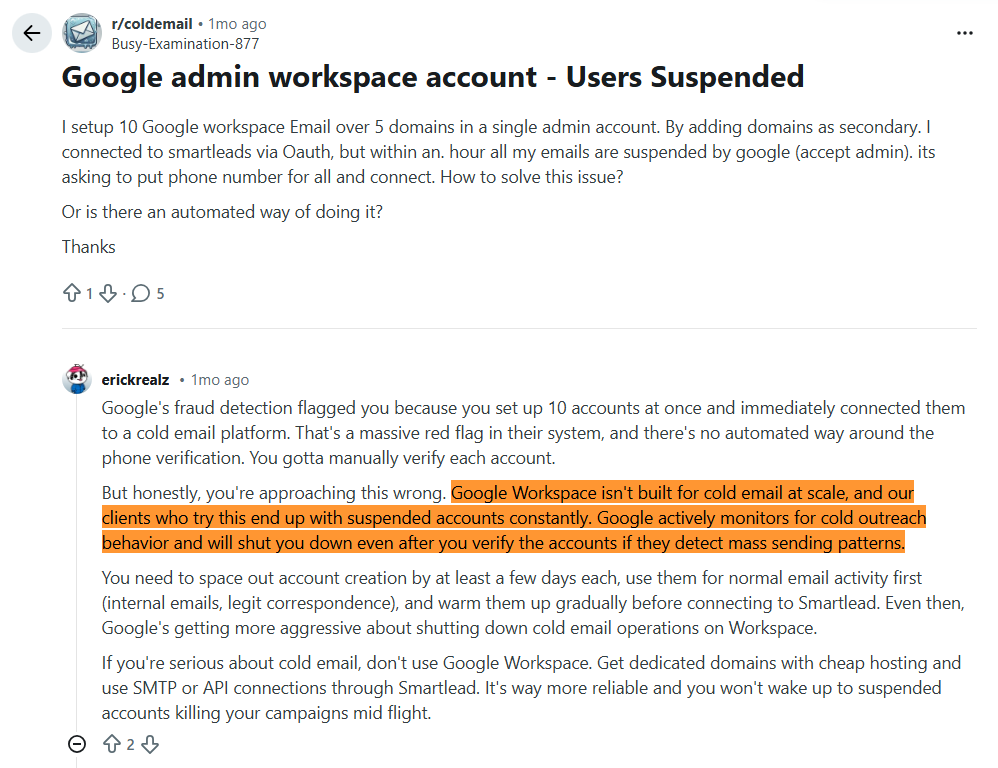
Most Instantly users connect Google Workspace or Microsoft 365 accounts. That works at low volume. At scale, those accounts get restricted, suspended, or flagged. The alternative is connecting custom SMTP infrastructure that handles deliverability at a level Google and Microsoft cannot.
That is exactly what Mission Inbox was built for. Not to replace Instantly. To make it work better.
How Instantly and Mission Inbox Work Together
This is not a comparison article. Instantly and Mission Inbox are not competitors. They are different layers of the same stack.
Think of it like this. Instantly is the driver. Mission Inbox is the engine. The driver decides where to go and how fast. The engine determines whether you actually arrive.
You do not need to change anything about how you use Instantly. You keep your sequences, your campaigns, your workflows. You simply connect Mission Inbox as the SMTP provider that delivers those emails through isolated servers with dedicated IPs.
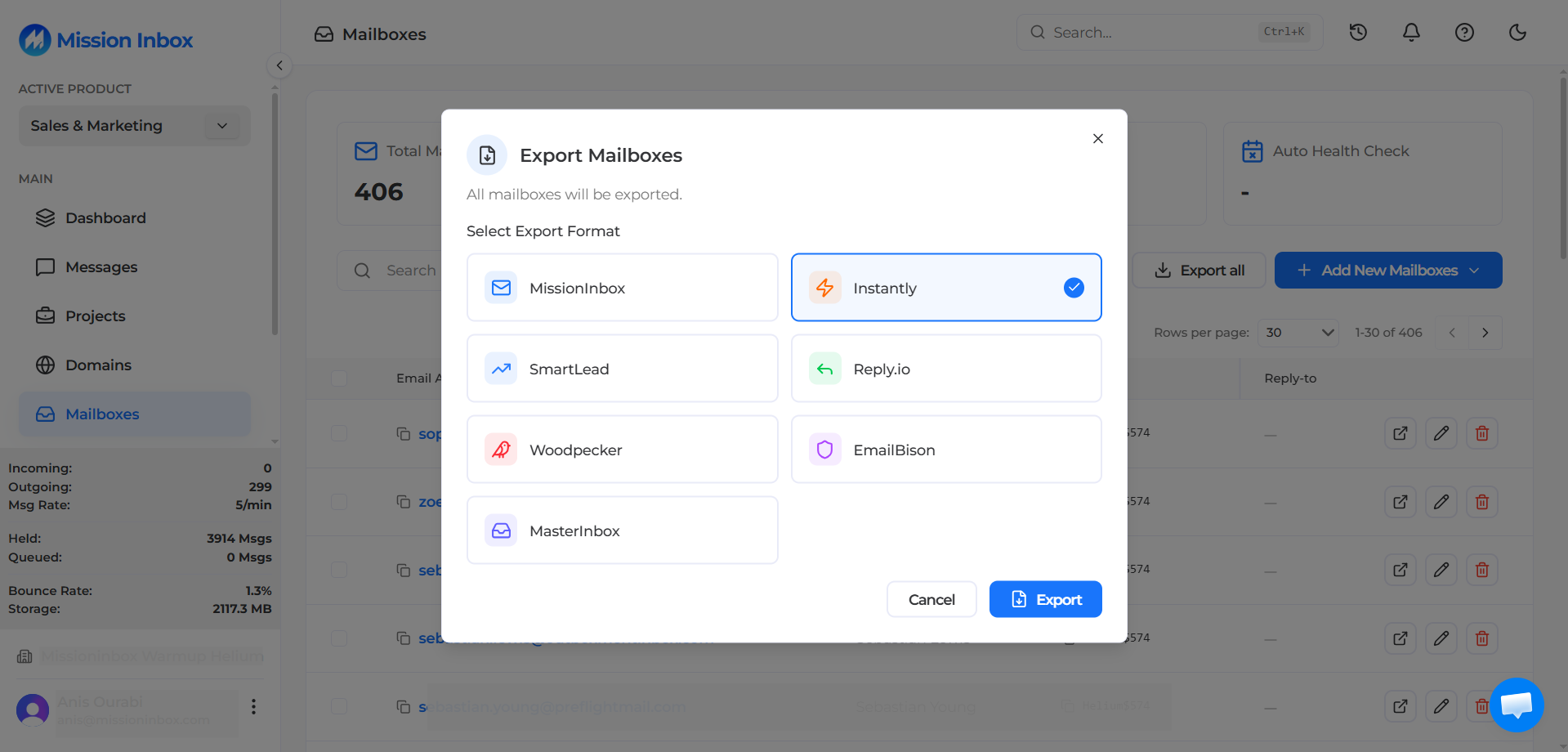
Mission Inbox has a built-in export function specifically for Instantly. Go to your Mission Inbox dashboard, click Export, select Instantly, and it generates a CSV with every field Instantly needs (email, password, SMTP info). Upload directly into Instantly and you are running.
Why Google Workspace and Microsoft 365 Break at Scale
Most Instantly users start with Google Workspace or Microsoft 365 accounts. At low volume (10 to 20 emails per day per account) this works. Google and Microsoft have excellent deliverability when used within their intended limits.
The problems start when you scale.
Account Suspensions Without Warning
Google Workspace and Microsoft 365 were built for business communication, not cold outreach. When sending patterns exceed what their systems consider normal, accounts get restricted or suspended. There is no negotiation. No escalation path. The account is simply disabled, and your campaign stops.
For teams managing 50 to 200 accounts across multiple clients, account replacement becomes a constant operational burden. Buying new accounts, warming them up, configuring DNS, loading them into Instantly, only to have them banned weeks later. The cycle repeats.
Volume Limits That Cap Your Growth
Google Workspace limits each account to roughly 2,000 emails per day. In practice, cold outreach best practices recommend staying well under that (30 to 50 per day per account to maintain reputation). This means scaling to 5,000 emails per day requires 100 to 150 separate Google accounts.
That is 100 to 150 accounts to purchase, warm up, monitor, and replace when they inevitably get flagged.
Shared Infrastructure You Cannot Control
Google Workspace and Microsoft 365 send from shared infrastructure. Your emails go through the same systems used by millions of other businesses. You have no visibility into IP health, no control over which IPs your emails send from, and no way to isolate your sending reputation from other users on the same infrastructure.
What Changes When You Connect Mission Inbox to Instantly
Dedicated IPs: Your Reputation Is Exclusively Yours
When your Instantly campaigns send through Mission Inbox, every email goes from IPs dedicated to you. No other sender shares them. No other sender's behavior can affect your deliverability.
This eliminates the most unpredictable variable in cold email: someone else ruining your reputation.
Isolated Cubes: Separate Infrastructure for Separate Workloads
If you run campaigns for multiple clients (as an agency), or send different types of email (sales, marketing, transactional), each workload gets its own Isolated Cube. That means a separate server environment with separate IPs and separate reputation.
One client's aggressive campaign cannot affect another client's deliverability. Your sales outreach cannot be impacted by a marketing bounce spike. The architecture prevents cross-contamination by design.
Subdomain Isolation: Scale Without Risking Your Root Domain
Mission Inbox is the only provider offering true subdomain isolation. Send from subdomains that leverage your root domain's established reputation while keeping all risk completely contained.
One financial services client sends 120,000 emails per day through Instantly from subdomains on Mission Inbox with zero reputation damage to their root domain. If any subdomain encounters issues, the root domain and every other subdomain remain completely unaffected.
MI Shield: AI Protection Before the Email Leaves
This is the feature that changes everything for teams with multiple SDRs using Instantly.
MI Shield scans every outbound email before it enters the sending queue. Content structure, link safety, wording patterns, DNS configuration. All checked in real time. If anything could trigger filters or damage reputation, the email is blocked before it sends.
Without MI Shield, one SDR sends a poorly structured email through Instantly, the domain gets flagged by Microsoft, and every other SDR on that domain sees their deliverability drop for the next 72 hours. With MI Shield, that send never happens. The domain stays clean.
Blacklist Monitoring Every 7 Minutes With Auto-Failover
Mission Inbox checks for blacklists automatically every 7 minutes across 90+ sources. If an IP gets flagged, it is removed from rotation instantly. Other IPs continue sending without interruption.
Your Instantly campaigns never experience downtime from blacklist events. The infrastructure handles it automatically.
Superior Microsoft/Outlook Delivery
For B2B teams where prospects use Outlook (which is most of enterprise), this is often the biggest deliverability improvement.
Mission Inbox's dedicated IPs deliver consistently to Outlook, Hotmail, and Live.com addresses, including enterprise environments behind Proofpoint and Barracuda gateways. These are the environments where Google Workspace and shared infrastructure typically get blocked.
Automated Domain Management at Scale
Agencies managing dozens or hundreds of domains do not configure DNS manually. Mission Inbox's API integrates directly with Cloudflare, GoDaddy, and Spaceship. Create domains, configure DNS, and manage everything programmatically.
One team manages 3,000 active sending domains from a single API integration. All connected to Instantly for sending.
How to Connect Mission Inbox to Instantly (5 Minutes)
The setup is straightforward:
- Create your mailboxes in Mission Inbox. DNS is auto-configured through Cloudflare, GoDaddy, or Spaceship.
- Export for Instantly. In your Mission Inbox dashboard, go to the mailbox list, click Export, and select Instantly. Mission Inbox generates a CSV with all required fields (email, password, SMTP info) formatted specifically for Instantly's import.
- Import into Instantly. Upload the CSV directly into Instantly. Your mailboxes appear ready to add to campaigns.
- Send through Mission Inbox infrastructure. When Instantly sends your sequences, the emails route through Mission Inbox's isolated servers and dedicated IPs instead of Google or Microsoft shared infrastructure.
No workflow changes. No new interface to learn. Your Instantly experience stays exactly the same. The infrastructure underneath gets dramatically better.
Who This Is For
This article is not for everyone using Instantly. If you send 20 cold emails per day from a single Google Workspace account, your setup is fine. Stay with it.
This is for:
- Instantly users sending 1,000+ emails per day who are hitting Google Workspace limitations
- Agencies running Instantly for multiple clients who need client-level infrastructure isolation
- Teams managing 50+ email accounts and spending hours every week replacing banned accounts
- B2B sales teams where prospects use Microsoft/Outlook and shared infrastructure gets blocked at enterprise gateways
- Financial services teams where compliance emails cannot share infrastructure with cold outreach
- Any Instantly user whose reply rates have dropped despite good copy and clean lists. The infrastructure is likely the problem.
See How It Works
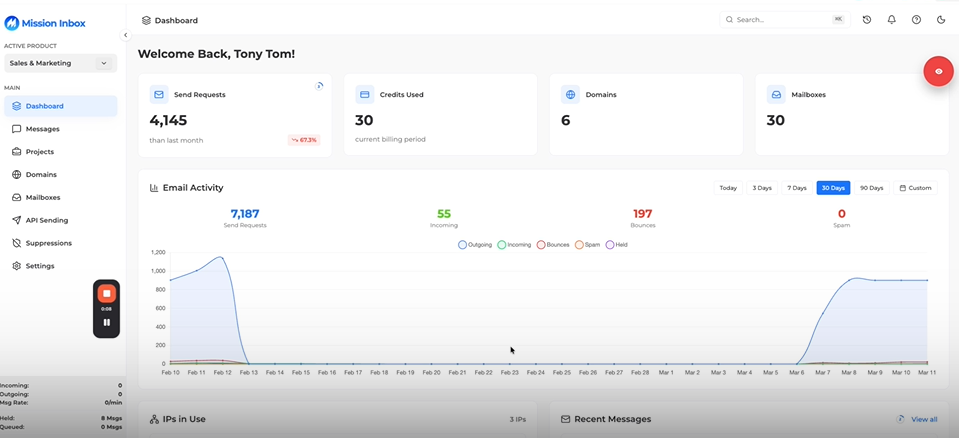
Watch a complete walkthrough of Mission Inbox connected to Instantly. Mailbox creation, DNS automation, the Instantly export feature, Isolated Cubes, MI Shield, and dedicated IPs in action:
Frequently Asked Questions
Does Mission Inbox replace Instantly?
No. Mission Inbox is the infrastructure layer underneath Instantly. Instantly handles sequences, campaigns, A/B testing, and sending logic. Mission Inbox handles the servers, IPs, reputation, and pre-send protection that determine whether those emails reach the inbox. They are complementary, not competitive.
How do I connect Mission Inbox to Instantly?
Create mailboxes in Mission Inbox. Go to your dashboard, click Export, select Instantly. It generates a CSV with all required fields. Upload that CSV into Instantly. Done. Your Instantly campaigns now send through Mission Inbox's isolated infrastructure.
Why would I use Mission Inbox instead of Google Workspace under Instantly?
Google Workspace works at low volume but breaks at scale. Accounts get restricted for cold outreach. IPs are shared with millions of users. There is no pre-send protection or workload isolation. Mission Inbox provides dedicated IPs, isolated servers, AI pre-send scanning, and subdomain isolation. Infrastructure built specifically for cold outreach at scale.
Will my Instantly workflows change?
No. Your Instantly experience stays exactly the same. Same interface. Same campaigns. Same sequences. The only change is what happens after Instantly hits "send." Instead of routing through Google or Microsoft shared infrastructure, emails route through Mission Inbox's isolated servers and dedicated IPs.
How many Instantly accounts can Mission Inbox support?
Mission Inbox supports scaling from a handful of mailboxes to thousands. One team manages 3,000 active sending domains through the API. There are no arbitrary volume caps. The infrastructure grows with you.
Does Mission Inbox include warm-up?
Mission Inbox supports domain warm-up. Your mailboxes warm up through the platform, and the IPs come with established reputation. Instantly's built-in warm-up also works alongside Mission Inbox's infrastructure.
What is MI Shield and how does it protect Instantly campaigns?
MI Shield scans every outbound email before it leaves the server. If one of your SDRs writes content that would trigger filters or damage reputation, MI Shield blocks the send before it happens. This protects every other SDR on the same domain from deliverability drops caused by one bad email.
Is Mission Inbox better for reaching Outlook/Microsoft inboxes than Google Workspace?
Yes. Dedicated IPs with established reputation deliver consistently through Microsoft's aggressive SmartScreen filtering and enterprise gateways like Proofpoint and Barracuda. Google Workspace sends from shared infrastructure that is particularly vulnerable to Microsoft's filtering.
How much does Mission Inbox cost compared to running Google Workspace accounts?
For a team sending 5,000 emails per day, Google Workspace requires approximately 100-150 accounts at $6/month each ($750+/month) with regular account replacement due to bans. Mission Inbox costs $199 base + $3/mailbox + $1/1,000 emails, totaling approximately $400/month with dedicated IPs, MI Shield, and zero ban risk.
Can I use both Google Workspace and Mission Inbox under Instantly?
Yes. Many teams use a hybrid approach. Google Workspace accounts for lower-priority outreach and Mission Inbox for high-value campaigns targeting enterprise accounts. Instantly supports multiple mailbox types simultaneously.
Ready to Upgrade Your Instantly Infrastructure?
Keep Instantly. Keep your sequences. Keep your workflows. Upgrade what is underneath.