

Your Emails Aren't Failing Because of Your Copy. They're Failing Because of Shared Infrastructure.
Here's a scenario that happens every week.
A team sends 50,000 emails per month through SendGrid. Clean lists. Proper SPF, DKIM, DMARC. Good content. High sender score.
Then one morning, bounce rates spike to 40%. Microsoft starts rejecting everything. Emails to Outlook, Hotmail, and Live.com addresses. Gone.
The team opens a support ticket. Days go by. No human response.
When they finally get an answer, it's this: the shared IP they've been sending from was blacklisted. Not because of anything they did. Because another sender on the same IP pool was flagged.
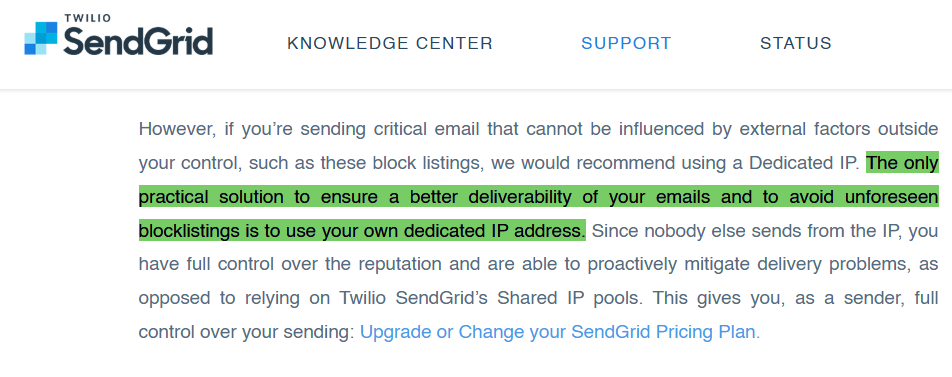
The fix SendGrid offers? Upgrade to a Pro plan with a dedicated IP. Pay more to escape a problem the platform created.
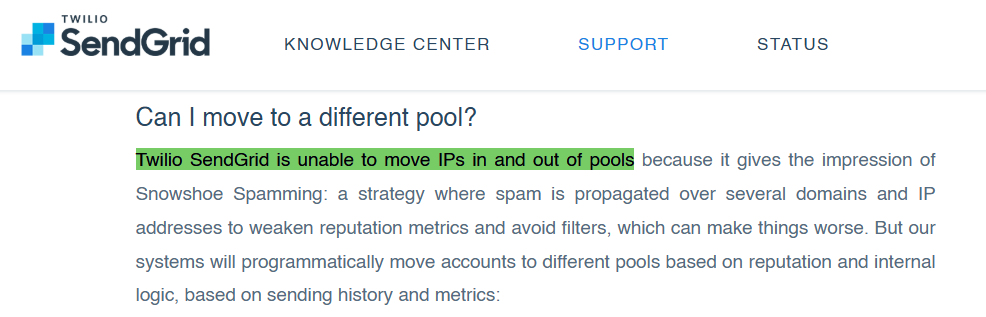
This isn't a rare edge case. In early 2025, Microsoft rejected all SendGrid shared-IP traffic for approximately 36 hours. Thousands of legitimate senders were blocked because of the actions of others in their pool.
If your business depends on emails reaching the inbox, whether that's cold outreach, sales sequences, client communication, or financial notifications, shared infrastructure is a ticking time bomb.
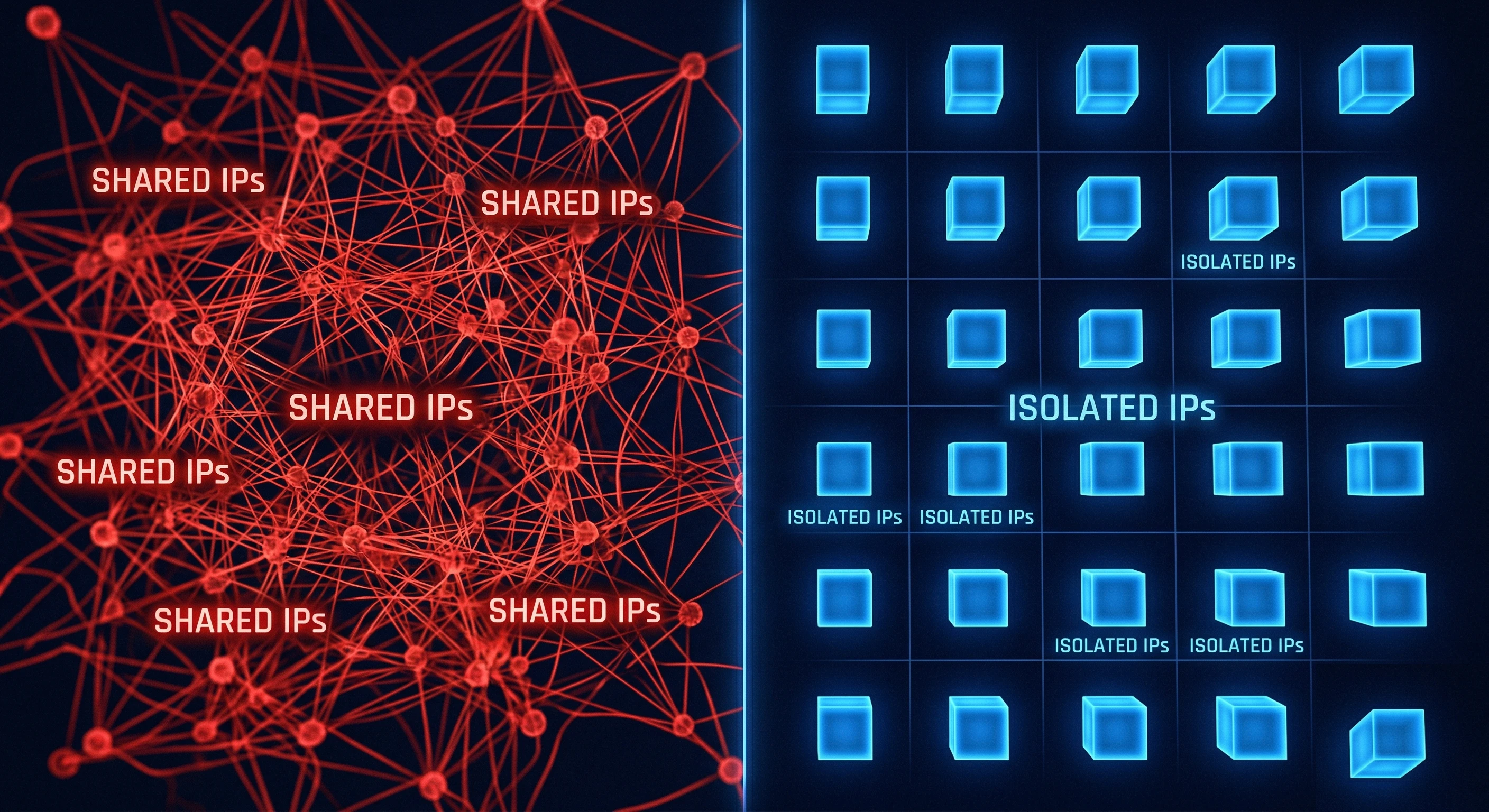
There's a fundamentally different approach: isolated infrastructure with dedicated IPs, where your sending reputation belongs to you alone.
SendGrid vs. Mission Inbox at a Glance
For teams evaluating a SendGrid alternative, here's the direct comparison:
→ Start Sending with Mission Inbox | Book a 45-Min Walkthrough
Why Teams Are Moving Away from SendGrid in 2026
SendGrid processes billions of emails. It's a proven platform for transactional email: password resets, order confirmations, shipping notifications. For that use case, it works.
But for teams doing cold outreach, sales prospecting, or any high-volume email that requires consistent inbox placement, SendGrid's architecture creates problems that get worse as you scale.
The Shared IP Problem
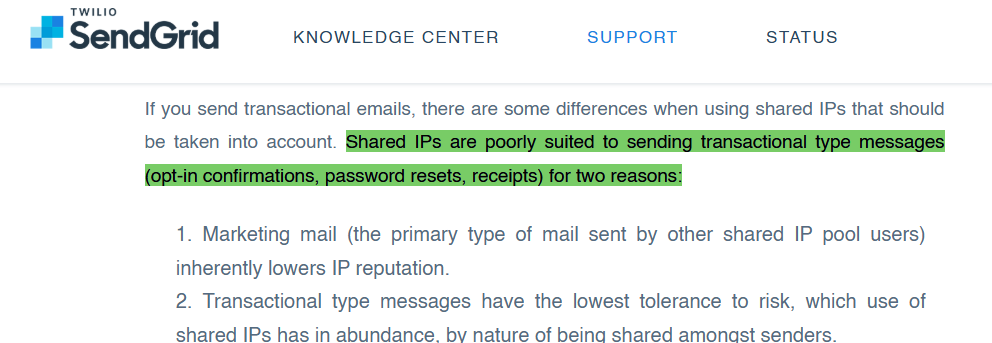
When you send through SendGrid on their free or Essentials plan, your emails go out from a shared IP pool. That means your emails share the same IP address with hundreds or thousands of other senders.
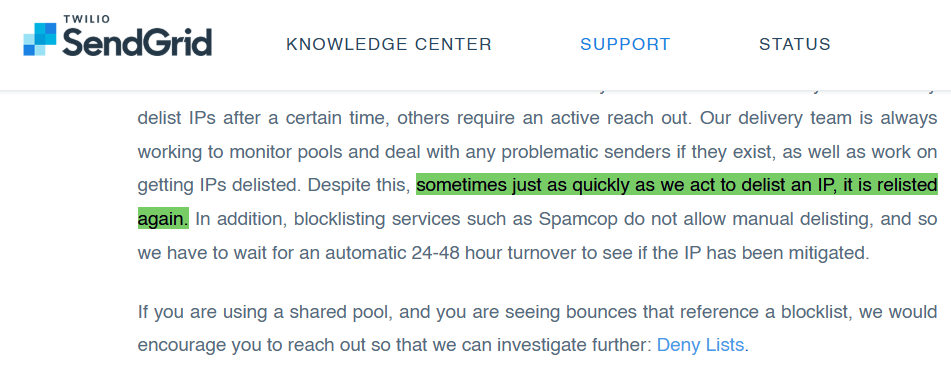
If one of those senders triggers a blacklist, and on a pool that large, someone eventually will, your deliverability drops with it. Your sender score could be 99%, your content could be perfect, and your emails still land in the wrong folder because of someone else's behavior.
SendGrid's own support team. Their words, not ours.
IPs with strangers. Stop wondering why your emails aren't reaching the inbox. Stop fighting a platform that wasn't built for what you need.
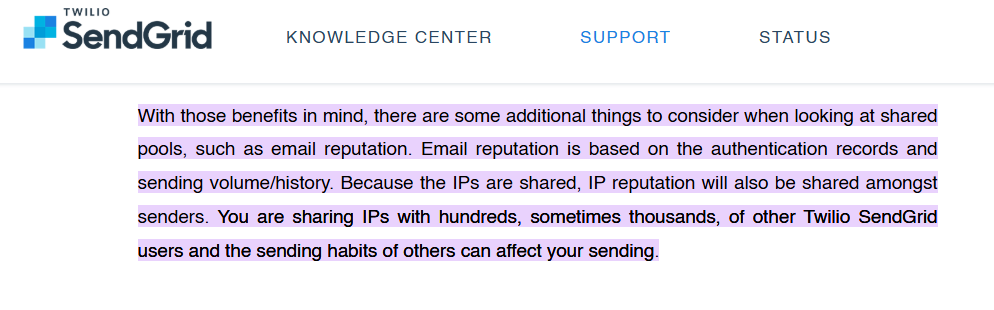
SendGrid acknowledges this directly in their own documentation: shared IP pools are subject to blacklisting from other users' sending behavior, and the recommended solution is upgrading to a dedicated IP on a Pro plan.
→ Start Sending with Mission Inbox | Book a 45-Min Walkthrough
The Microsoft/Outlook Vulnerability
Microsoft is particularly aggressive about filtering emails from shared IP pools. Their SmartScreen filter and connection-level checks prioritize IP reputation heavily.
For sales teams and financial services companies where prospects and clients use Outlook, this is a critical issue. If your shared IP gets flagged by Microsoft, all your emails to Outlook, Hotmail, and Live.com addresses get rejected regardless of your individual sending behavior.
The Cold Email Policy Problem
SendGrid's Terms of Service restrict unsolicited email. Teams doing legitimate cold outreach, prospecting, B2B sales, and lead generation operate in a gray area on the platform. Account suspensions for cold email activity are widely documented across G2 reviews, Reddit threads, and community forums.
When your account gets suspended mid-campaign with no warning and no escalation path, your entire outbound operation stops.
The Visibility Gap
On SendGrid's lower plans, you don't get visibility into which IP you're sending from, whether that IP is blacklisted, or why your emails are failing. You're dependent on the platform to manage IP health on your behalf. When they don't, you have no tools to diagnose or fix it yourself.
How Isolated Infrastructure Solves These Problems
The alternative to shared infrastructure isn't just "a dedicated IP." It's a fundamentally different architecture where every part of your email sending is isolated, protected, and under your control.
This is what Mission Inbox was built for.
Isolated Cubes: Your Own Server Environment
Mission Inbox's Isolated Cubes give each email workload its own dedicated server environment. Your sales outreach runs on separate infrastructure from your marketing campaigns, which run separately from your transactional and financial emails.
This means:
- A marketing campaign that triggers complaints can't affect your sales outreach deliverability
- Your cold email reputation is completely separate from your invoice delivery
- If one workload has a bad day, the others never feel it
On SendGrid, all your email types share the same infrastructure. A bounce spike in marketing directly impacts whether your CEO's invoices reach the inbox.
Subdomain Isolation: Protecting Your Root Domain
Mission Inbox is the only provider offering true subdomain isolation at the infrastructure level. You can send from subdomains that leverage your root domain's established reputation while keeping all risk completely contained.
One financial services client sends 120,000 emails per day from subdomains with zero reputation damage to their root domain. If a subdomain encounters issues, the root domain and all other subdomains remain completely unaffected.
This is architectural protection. Not a feature you configure, but how the infrastructure is built.
MI Shield: AI Protection Before the Email Leaves
Most email providers analyze deliverability after the email has already been sent. By that point, the damage is done.
MI Shield is an AI-powered firewall that scans every outbound email before it leaves the server. It checks content structure, link safety, wording patterns, and DNS configuration. If anything could trigger filters or harm your domain reputation, the email is blocked before it sends.
This protects against the most common scenario that burns domains: one team member or one SDR sends poorly written content that gets flagged, and the entire domain's reputation drops.
With MI Shield, that send never happens. The domain stays clean.
Blacklist Monitoring Every 7 Minutes
Mission Inbox's infrastructure checks for blacklists automatically every 7 minutes. If an IP gets flagged, it's removed from rotation instantly. Other IPs continue sending without interruption.
Compare this to SendGrid's approach: on shared plans, blacklist monitoring and delisting is handled by SendGrid's team on their timeline. On dedicated IP plans, delisting is your responsibility. In both cases, there's a gap between when the blacklisting happens and when it's resolved. During that gap, your emails fail.
Mission Inbox eliminates that gap with automatic detection and failover. Zero downtime.
Superior Microsoft/Outlook Delivery
Where shared IP infrastructure is most vulnerable, Microsoft's aggressive filtering, Mission Inbox's isolated architecture is strongest.
Dedicated IPs with clean reputation, combined with proper authentication and sending patterns, enable Mission Inbox to deliver consistently to Outlook, Hotmail, and Live.com addresses. This includes enterprise environments behind security gateways like Proofpoint and Barracuda, where shared IP senders typically get blocked.
For sales teams prospecting into enterprise accounts and financial services companies sending to corporate email addresses, this is often the deciding factor.
Automated Domain Management
Agencies and teams managing multiple domains don't need to configure DNS records manually. Mission Inbox's API integrates directly with Cloudflare, GoDaddy, and Spaceship for programmatic domain creation and DNS configuration.
One of our team members manages 3,000 domains through the API. Agencies can scale from 10 domains to 100+ without touching DNS settings manually.
Complementary to Your Existing Tools
Mission Inbox isn't a sequencer. It doesn't replace Instantly, Smartlead, ActiveCampaign, or whatever tool you use to write and schedule email sequences.
Mission Inbox is the SMTP infrastructure underneath. You keep your sequencer for the workflows you've already built. You connect Mission Inbox as the delivery layer that gets those emails into the inbox through isolated servers and dedicated IPs.
Think of your sequencer as the driver. Mission Inbox is the engine. They work together. And the engine determines whether you actually arrive.
What Customers Experience After Switching
The shift from shared to isolated infrastructure produces measurable results, often with the same email copy and the same prospect lists.
Ali Syed, after migrating to Mission Inbox:
"Mission Inbox deliverability is now neck and neck with G-suite and Microsoft infra, and in our case, 2x better."
Dmitriy Katsel, on the business impact:
"Deliverability used to be my #1 problem. Now it's like 2009-2012 again. Just bogged down with unlimited leads and meetings."
Documented migration result:
- Before (shared infrastructure): 1.2% reply rate. Meetings barely coming in.
- After (Mission Inbox): 4.8% reply rate. Meetings booked daily.
- Same copy. Same list. Same sequences. Only the infrastructure changed
Mission Inbox Pricing
Mission Inbox's pricing is transparent and prorated:
- $199/month base
- $3 per mailbox
- $1 per 1,000 emails sent
- Prorated billing. You only pay for what you actually use each month.
- Dedicated IPs included. Not an add-on.
- MI Shield included. Not an add-on.
- No hidden fees.
For a team sending 50,000 emails per month from 30 mailboxes, the math is straightforward and predictable every month.
Who Should Stay with SendGrid (Honestly)
Not every team needs to switch. SendGrid is a reasonable choice if:
- You only send transactional email (password resets, order confirmations, shipping notifications)
- You never do cold outreach, prospecting, or sales email
- You have a dedicated deliverability team that actively manages shared IP reputation
- You don't send to Microsoft/Outlook addresses at volume
- You're comfortable with the risk of shared IP blacklisting
For pure transactional email with a technical team managing deliverability, SendGrid has the scale and documentation to support it.
Who Should Switch to Mission Inbox
Mission Inbox is built for teams where email reaching the inbox is directly tied to revenue:
- You do cold email, outreach, or prospecting and need a platform that allows it
- You want dedicated IPs without paying enterprise prices
- You need workload isolation: sales emails separate from marketing separate from transactional
- You want AI pre-send protection so one bad email can't damage your domain
- You send to Microsoft/Outlook addresses and need consistent delivery through enterprise gateways
- You're an agency managing multiple client campaigns and need infrastructure-level client isolation
- You're a SaaS platform that needs white-label email infrastructure via API
- You're in financial services where email delivery is compliance-critical
See Mission Inbox in Action
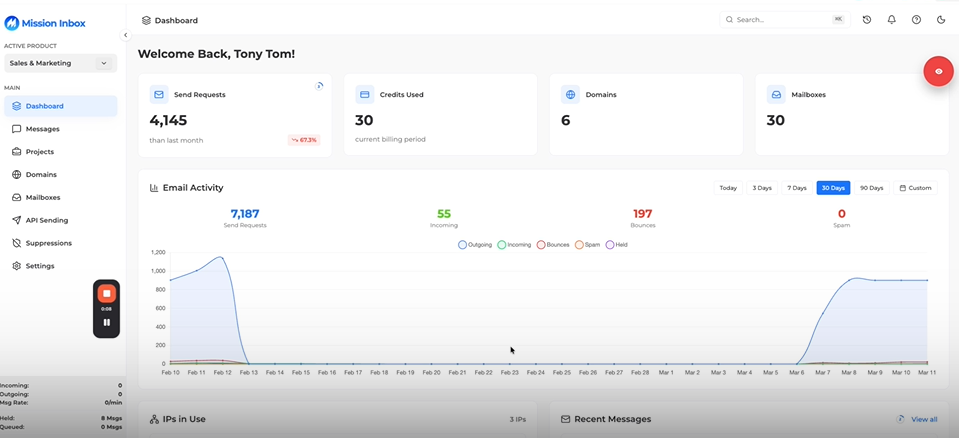
Watch a full walkthrough of the platform: Isolated Cubes, MI Shield, dedicated IPs, domain management, and how it integrates with your existing sequencer.
Frequently Asked Questions
Is SendGrid good for cold email?
SendGrid's Terms of Service restrict unsolicited email, and accounts used for cold outreach are frequently suspended. It was designed primarily for transactional email. Teams doing cold outreach should use infrastructure specifically built for that purpose, where outreach is supported rather than restricted.
What's the main difference between SendGrid and Mission Inbox?
SendGrid uses shared IP pools where your sending reputation is affected by other senders' behavior. Mission Inbox provides isolated infrastructure with dedicated IPs. Your reputation is exclusively yours. Mission Inbox also includes AI pre-send protection (MI Shield) and subdomain isolation, neither of which SendGrid offers.
Can I use Mission Inbox with Instantly or Smartlead?
Yes. Mission Inbox provides the SMTP infrastructure underneath your existing sequencer. You keep Instantly, Smartlead, ActiveCampaign, or whatever tool you use for writing and scheduling sequences. Mission Inbox handles the delivery layer through isolated servers with dedicated IPs.
How long does it take to switch from SendGrid to Mission Inbox?
Setup takes under 5 minutes. DNS is configured automatically through Cloudflare, GoDaddy, or Spaceship. You can be sending on the same day. There's no complex migration process. You connect Mission Inbox as your SMTP provider and your sequencer sends through it.
Does Mission Inbox use shared IPs?
No. Every customer gets dedicated IPs. Your sending reputation is exclusively yours. No other sender's behavior can affect your deliverability. This is fundamentally different from SendGrid's shared IP pool architecture on their free and Essentials plans.
What is subdomain isolation?
Subdomain isolation separates your email workloads onto different subdomains of your root domain. If one workload triggers complaints, the other workloads and your root domain remain completely unaffected. Mission Inbox is the only provider offering true subdomain isolation at the infrastructure level.
What is MI Shield?
MI Shield is an AI-powered firewall that scans every outbound email before it leaves the server. It checks content structure, link safety, wording patterns, and DNS configuration. If anything could harm your domain reputation, the email is blocked before it sends. This prevents the common scenario where one poorly written email damages an entire domain's reputation.
How does Mission Inbox handle blacklists?
Mission Inbox monitors blacklists automatically every 7 minutes. If an IP gets flagged, it's removed from rotation instantly and other IPs continue sending without interruption. This is automatic. No manual intervention, no support tickets, no downtime.
Is Mission Inbox better for Microsoft/Outlook delivery?
Yes. Mission Inbox's isolated architecture with dedicated IPs provides superior deliverability to Microsoft/Outlook addresses, including enterprise environments behind security gateways like Proofpoint and Barracuda. This is a significant advantage over shared IP infrastructure, which is particularly vulnerable to Microsoft's aggressive filtering.
How much does Mission Inbox cost compared to SendGrid?
Mission Inbox costs $199/month base plus $3 per mailbox plus $1 per 1,000 emails. Billing is prorated. You only pay for what you use. Dedicated IPs and MI Shield are included, not add-ons. SendGrid's free and Essentials plans use shared IPs. Dedicated IPs require Pro plans starting at $89.95/month with additional costs for support and features.
Ready to Own Your Email Infrastructure?
Stop sharing IPs with strangers. Stop wondering why your emails aren't reaching the inbox. Stop fighting a platform that wasn't built for what you need.